If you want to fix grammar in Chrome, the usual answer is still strangely clumsy: copy the sentence, open another app, paste it, ask for a correction, copy the result, then paste it back. That is a lot of work for a comma, a typo, or one awkward verb.
The cleaner way is to fix the sentence where it already lives. Gmail, Slack, Notion, LinkedIn, Google Docs, a support form, a CMS field. If the text is already on the page, the grammar tool should meet you there.
The copy-paste loop makes small fixes feel bigger
Most grammar mistakes are small. The workflow around them is not. You leave the page, break your focus, move the text into a new box, then bring it back and hope the formatting survives.
That can be fine for a full article or a document you want to edit slowly. It feels wrong for the writing people do all day: a reply, a comment, a short email, a sentence in a form. You already know what you want to say. You only need the sentence cleaned up.
That is why a cleaner Chrome grammar workflow starts with selected text. You highlight the part that needs help, run the fix, review the result, and keep writing.
What a good Chrome grammar fix should do
A browser grammar tool should make the fix smaller than the mistake. Before you trust one, look for a few simple things.
| Check | Why it matters |
|---|---|
| Works on selected text | You can fix one sentence without handing over the whole page. |
| Stays in the current tab | You keep the thread of the email, post, or document you were writing. |
| Shows a fix before replacing | You stay in control of the final wording. |
| Fixes instead of rewriting | Your voice survives the correction. |
| Explains where text goes | You know who receives the words you selected. |
A simple workflow for fixing grammar in Chrome
You do not need a new writing space for every sentence. A better flow looks like this:
- Write in the place you are already using.
- Select the sentence or paragraph that needs a grammar fix.
- Right-click and choose the correction action.
- Review the fixed version.
- Replace it, or tweak it before you move on.
Selection does the work. A selected-text grammar checker does not need to inspect everything around the sentence. It only needs the words you asked it to fix.
To be precise about the gesture: you never copy anything. The corrected text is written to your clipboard, replacing whatever was there, and one paste puts it where your sentence was.
Why preserving your voice is part of the job
Grammar tools often drift into rewriting. They make a sentence cleaner, then smoother, then more formal. The result may be correct, but it starts to sound like someone else typed it.
For everyday writing, a fix should be boring in the best way. Spelling fixed. Punctuation cleaned up. Agreement corrected. Maybe one small phrasing issue repaired. The original intent should stay put.
A good grammar fix should make the mistake disappear, not the person who wrote the sentence.
Here is the difference:
| Version | Text |
|---|---|
| Before | Can you send me the updated file before friday, I need it for the client review. |
| Fixed | Can you send me the updated file before Friday? I need it for the client review. |
| Rewritten | Would you be able to provide the revised file ahead of Friday so I can prepare for the client review? |
The fixed version does the job. The rewritten version may be useful in some cases, but it changed the tone, the pace, and the ask.
Privacy still matters for a one-sentence fix
A grammar check has to read the text you select. The question is how far that text travels, whether it is stored, and whether it is used again later.
Before installing a grammar checker Chrome extension, read the privacy page and look for plain answers:
- Does it send only the selected text?
- Does the tool store what you fix?
- Does the company use your writing for training?
- Can you bring your own AI provider key?
If the answers are vague, pause. Even a tiny sentence can contain names, customer details, internal plans, or something you simply do not want saved.
How Prose handles this
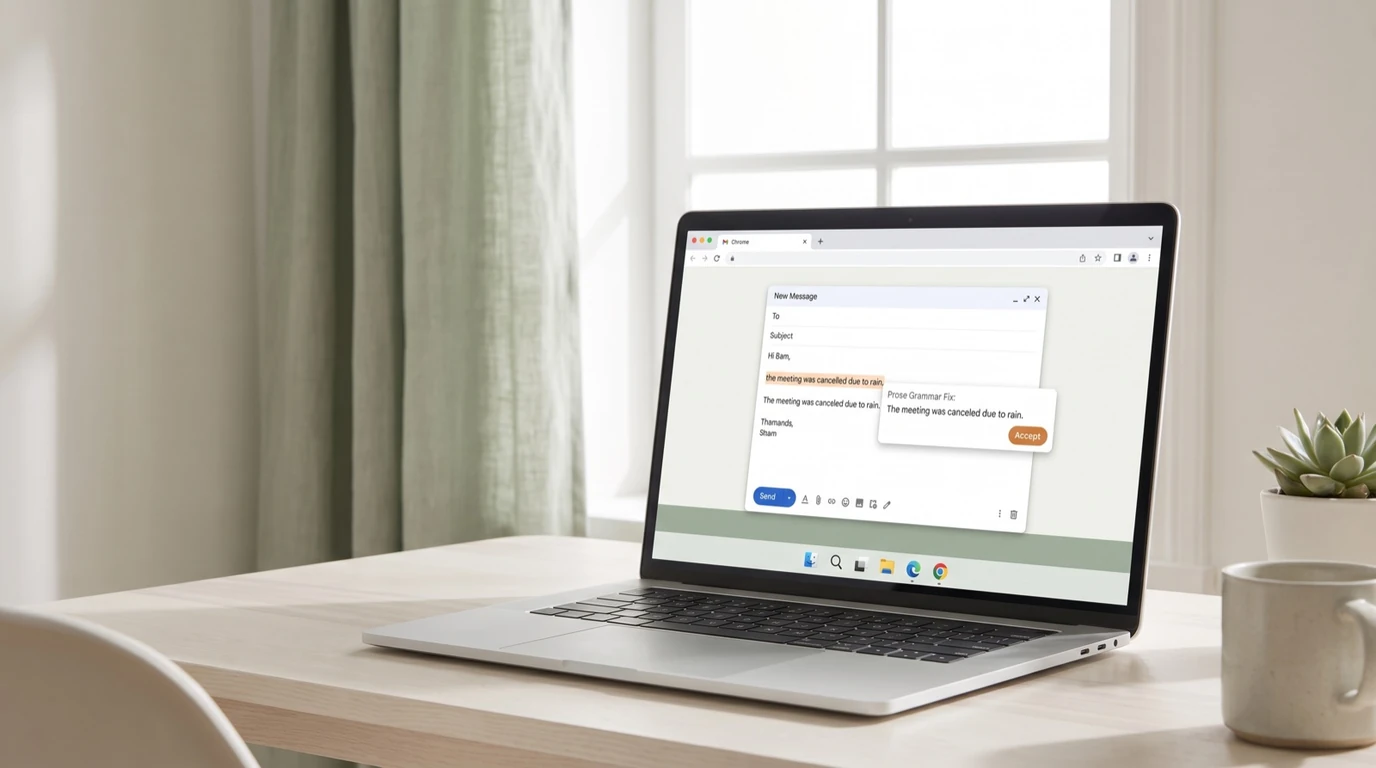
Prose is built for this exact workflow. You select text in Chrome, right-click, and choose Fix my text. Prose returns a corrected version without asking you to write a prompt or move the sentence into another tab.
It is on-demand, so it does not sit on every text field trying to guess what you mean. It fixes the text you chose. The result stays editable, so you decide what to keep.
Privacy is part of the design. With your own API key, your text goes directly from your browser to the AI provider you chose. Prose does not receive or store the text you fix. The full version is in the privacy policy, and the technical path is explained in where your text goes when AI fixes it. For the most common case of all, see how Prose polishes or rewrites any email.
When a full writing app still makes sense
There are times when a larger writing tool is the right choice. If you are drafting from a blank page, changing the structure of a long document, or exploring a different tone, a full editor can help.
For small grammar fixes in Chrome, that is usually more tool than you need. Select the sentence, fix it, and keep going. If you care about the difference between a correction and a rewrite, read fix, do not rewrite next.